
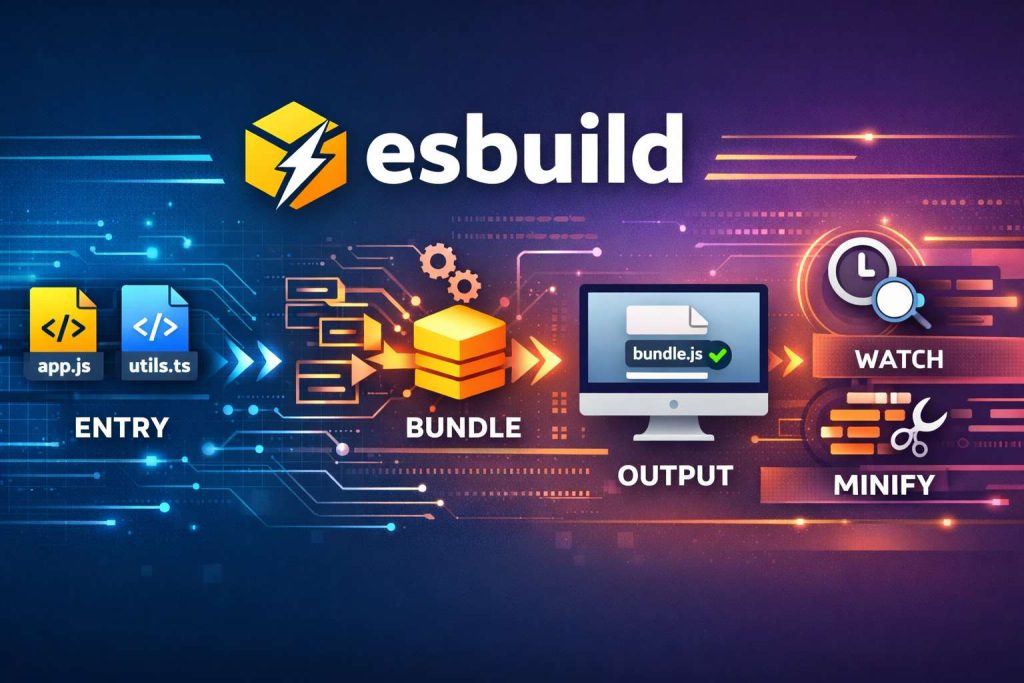
Modern JavaScript development revolves around modules, bundling, and fast builds. Enter esbuild — a blazing-fast bundler and minifier written in Go. Unlike traditional JS bundlers, esbuild’s speed and simplicity make it a developer’s dream.
In this post, we’ll explore what esbuild is, why it matters, and how to use it in real projects, with code you can copy and run.
1. What is esbuild?
esbuild is:
- A bundler: Combines multiple JS/TS/JSX/React files into one or more bundles.
- A minifier: Compresses code for production.
- A transpiler: Converts modern JS, TypeScript, or JSX into browser-compatible JS.
- Extremely fast: Written in Go, it’s orders of magnitude faster than Webpack or Rollup.
Key Features:
| Feature | Status |
|---|---|
| ES Modules support | ✅ Yes |
| Tree Shaking | ✅ Yes |
| TypeScript support | ✅ Native |
| JSX / React | ✅ Native |
| Minification | ✅ Yes |
| Dev Watch Mode | ✅ Yes |
2. Why esbuild matters
Traditional bundlers like Webpack or Rollup can feel slow for large projects. esbuild solves that by:
- Speed: Bundling large projects in milliseconds.
- Simplicity: Minimal configuration, works out-of-the-box.
- Modern support: Handles ESM, TS, JSX natively.
- Tree shaking: Only keeps the code you use.
- Dev-friendly: Fast incremental rebuilds in watch mode.
3. Installing esbuild
You can install it in any Node project:
npm install --save-dev esbuild
For global usage:
npm install -g esbuild
4. Basic Usage
Imagine a small project:
// math.js
export function add(a, b) {
  return a + b;
}

// app.js
import { add } from './math.js';
console.log(add(5, 7));
You can bundle it:
npx esbuild app.js --bundle --outfile=dist/bundle.js --minify
Flags Explained:
--bundle: Combines imports into one file.--outfile: Output file.--minify: Shrinks the code.--sourcemap: Optional for debugging.
5. Using esbuild with React
esbuild can handle JSX/TSX without Babel. Here’s a minimal React setup:
Project Structure
react-esbuild/
├── index.html
├── src/
│   ├── index.jsx
│   └── App.jsx
├── package.json
└── esbuild.config.js
index.html
<div id="root"></div>
<script src="./dist/bundle.js"></script>
App.jsx
import React from 'react';

export default function App() {
  return <h1>Hello from React + esbuild 🚀</h1>;
}
index.jsx
import React from 'react';
import ReactDOM from 'react-dom/client';
import App from './App.jsx';

const root = ReactDOM.createRoot(document.getElementById('root'));
root.render(<App />);
esbuild.config.js
import esbuild from 'esbuild';

const isWatch = process.argv.includes('--watch');

esbuild.build({
  entryPoints: ['src/index.jsx'],
  bundle: true,
  outfile: 'dist/bundle.js',
  minify: false,
  sourcemap: true,
  loader: { '.js': 'jsx', '.jsx': 'jsx' },
  watch: isWatch
    ? {
        onRebuild(error) {
          if (error) console.error('Build failed:', error);
          else console.log('Build succeeded ✅');
        },
      }
    : false,
}).then(() => console.log('Build completed ✅'));
Run commands:
npm run build  # one-time build
npm run dev    # watch mode
6. Advanced Features
6.1. Tree Shaking
Unused exports are automatically removed:
// utils.js
export function used() { return 1; }
export function unused() { return 2; }

// app.js
import { used } from './utils.js';
console.log(used());
unused function will not appear in the bundle.
6.2. TypeScript Support
// math.ts
export const multiply = (a: number, b: number): number => a * b;
npx esbuild math.ts --bundle --outfile=dist/bundle.js
No Babel needed!
6.3. Environment Variables
You can define globals like process.env.NODE_ENV:
define: { "process.env.NODE_ENV": '"production"' }
6.4. Watching & Rebuilding
node esbuild.config.js --watch
- Rebuilds automatically on file changes
- Logs success/failure instantly
- Perfect for dev mode
7. Comparison with Other Bundlers
| Feature | esbuild | Webpack | Rollup | Vite |
|---|---|---|---|---|
| Speed | 🔥 Fast | Slow | Medium | Fast |
| JSX Support | ✅ Native | ✅ Plugin | ✅ Plugin | ✅ Native |
| Tree Shaking | ✅ Yes | ✅ Yes | ✅ Yes | ✅ Yes |
| Config | Minimal | Complex | Medium | Minimal |
| Dev Mode | Watch | Hot Reload | Watch | Fast HMR |
8. Tips & Best Practices
- Use esbuild for small-to-medium projects — blazing speed helps iterative development.
- Combine with Vite for production-grade React apps (uses esbuild under the hood).
- Enable sourcemaps during dev for debugging.
- Use define to inject environment variables at build time.
- Leverage tree shaking by always using named exports.
9. Quick Recap
- esbuild = fast, modern JS/TS bundler + minifier + compiler
- Pros: Speed, simplicity, native ESM/TS/JSX support
- Cons: Some advanced Webpack plugins may not be compatible
- Best for: Dev environments, prototyping, small-to-medium production apps
10. Notebook Summary: Commands
# Install
npm install --save-dev esbuild

# Simple bundle
npx esbuild app.js --bundle --outfile=dist/bundle.js

# React + JSX bundle
node esbuild.config.js

# Watch mode
node esbuild.config.js --watch

# Minify
npx esbuild app.js --bundle --outfile=dist/bundle.js --minify
Conclusion:
If you want ultra-fast builds, native ESM support, TypeScript/JSX out of the box, and tree-shaking, esbuild is your go-to tool. It’s like having Webpack on steroids, but without the complexity. 🚀
